Ebbisham Sports Club
Eastway • Epsom, Surrey • KT19 8SG
Tel: 01372 720 647
Dear Members
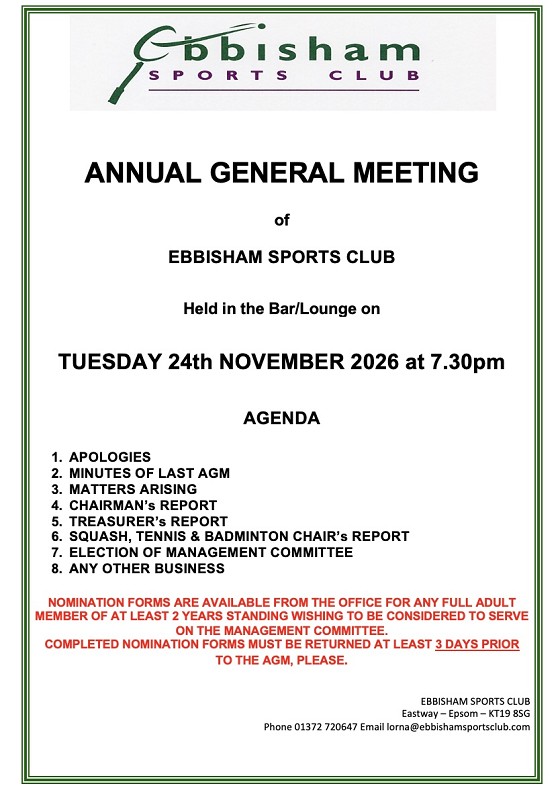
Please find attached the Agenda/Calling Notice for the Club AGM being held on Tuesday 24 November at 7.30pm in the Bar/Lounge.
You may wish to familiarise yourself with the 2025 draft AGM Minutes and the 2025 Accounts, which appear as underlined links below.
2025 Draft Minutes for Approval
2025 Accounts
The 2026 Accounts are in preparation and will be sent separately.
Finally, the Management Committee currently has vacancies so if you have time to spare and would like to get involved nomination forms can be collected from the office from 2nd November. You may also request an electronic copy by emailing lorna@ebbishamsportsclub.com. These forms must be fully completed and returned to the office 3 days ahead of the AGM, at the latest please.
We look forward to seeing as many of our members as possible on 24th and hope that you will join us for cheese & wine after the meeeting.
Ebbisham Sports Club
02/11/2026
November 2026
October 2026
September 2026
August 2026
July 2026
June 2026
May 2026
April 2026
March 2026
February 2026
January 2026
December 2025
November 2025
October 2025
September 2025
August 2025
July 2025
June 2025
May 2025
April 2025
March 2025
Hotmail/Outlook Users
GMail Users
Other email service providers may have similar settings -- please follow their instructions. If not, contact their support desk and request delivery of messages from ebbisham@no-reply.mycourts.co.uk.
